
Introduction
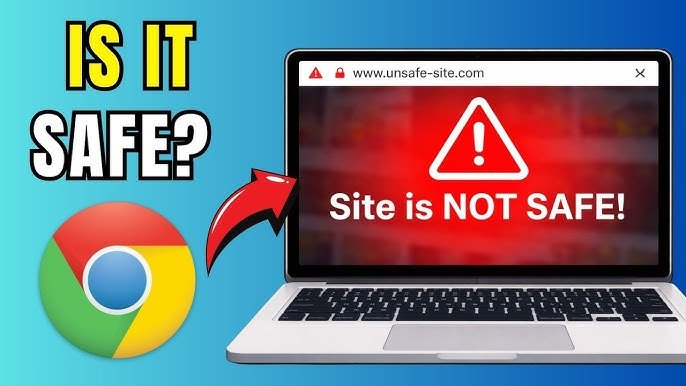
The internet is full of useful websites, but not every site is safe. Some websites are designed to steal personal information, spread malware, or trick users into scams. That is why knowing how to check if a website is safe or not is extremely important in today’s digital world.
For readers of Secure Guide Tech, this guide explains simple ways to identify secure websites and avoid dangerous ones. By following a few basic checks, you can protect your data, devices, and online accounts from cyber threats.
Why Website Safety Matters
Unsafe websites can cause serious problems for internet users. They may steal passwords, banking details, or personal information.
Some malicious websites install harmful software on your device without your permission. Others may redirect you to scam pages or fake login forms.
Checking website safety before visiting helps reduce the risk of cyber attacks and online fraud.
Look for HTTPS in the URL
One of the first things you should check is whether the website uses HTTPS.
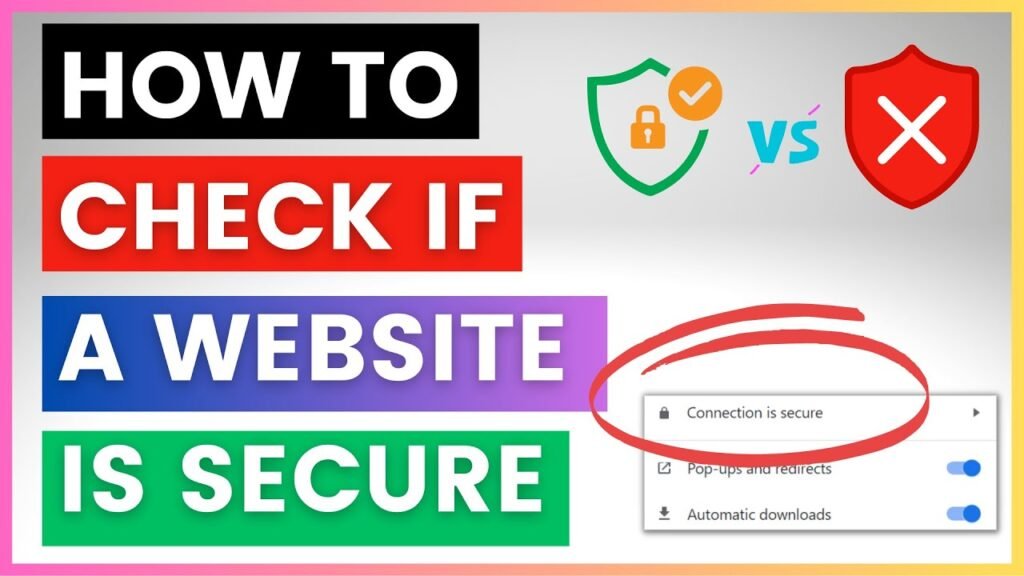
A secure website usually starts with “https://” instead of “http://”. The “S” stands for secure, meaning the connection between your browser and the website is encrypted.
You should also look for the padlock icon in the browser address bar. This indicates that the website has a security certificate.
Although HTTPS does not guarantee complete safety, websites without it should generally be avoided.
Check the Website URL Carefully
Cybercriminals often create fake websites with URLs that look similar to legitimate ones.
They may use small spelling changes, extra words, or unusual domain extensions to confuse users.
Before visiting a website, read the URL carefully and make sure it matches the official website name.
Even a small difference can indicate a fake or unsafe website.
Avoid Clicking Suspicious Links
Many unsafe websites are accessed through suspicious links in emails, social media posts, or messages.
Do not click on random links from unknown sources. If a message seems suspicious, verify it before opening any links.
Typing the website address manually into your browser is often safer.
Check Website Design and Quality
A professional website usually has clean design, proper grammar, and working links.
Unsafe or fake websites often contain spelling mistakes, broken pages, low-quality images, or poor formatting.
If a website looks rushed or unprofessional, it may not be trustworthy.
Verify Contact Information
Legitimate websites usually provide clear contact details, including email addresses, phone numbers, and physical addresses.
Unsafe websites often hide or fake this information.
Before trusting a website, check whether the contact details appear genuine and easy to verify.
Search for Online Reviews
One of the easiest ways to check website safety is by searching for reviews online.
Users often share their experiences with scam or unsafe websites. If a site has many complaints or warnings, avoid it.
Trusted websites usually have positive feedback and a good online reputation.
Be Careful with Pop-Ups and Ads
Unsafe websites often use excessive pop-ups and advertisements to trick users.
Some pop-ups may claim your device is infected or ask you to download fake software.
Never click on suspicious pop-ups. Close the browser tab instead.
Check Domain Age
Many scam websites are newly created and disappear quickly after targeting users.
You can use online tools to check how old a website domain is.
Older websites are generally more trustworthy than newly created domains.
Avoid Websites Asking for Unnecessary Information
Be cautious if a website asks for sensitive information that is not required.
For example, a simple blog or informational website should not ask for banking details or passwords.
Only share personal information on trusted and verified websites.
Use Antivirus and Browser Protection
Modern browsers and antivirus programs include security features that warn users about unsafe websites.
Keep your browser and antivirus software updated for the best protection.
These tools can block harmful websites and alert you before visiting dangerous pages.
Check for Trust Seals Carefully
Some websites display trust badges or security seals to appear legitimate.
However, fake websites may copy these images without authorization.
Click on trust seals to verify whether they link to a real security provider.
Common Signs of Unsafe Websites
Some warning signs include:
- Missing HTTPS security
- Suspicious or misspelled URLs
- Too many pop-ups
- Poor design and grammar mistakes
- Unrealistic offers or discounts
- Fake contact details
- Requests for unnecessary personal information
Recognizing these signs can help you stay safe online.
Common Mistakes to Avoid
Many users trust websites too quickly because they look professional.
Another common mistake is clicking unknown links without checking them first.
Ignoring browser security warnings can also be dangerous.
Taking a few extra moments to verify a website can prevent major problems.
Tips for Safe Browsing
Always use strong passwords for your accounts.
Enable two-factor authentication whenever possible.
Avoid downloading files from unknown websites.
Keep your devices and software updated.
Use trusted antivirus protection.
Stay informed about common online scams and cyber threats.
These habits improve your overall internet safety.
Conclusion
Learning how to check if a website is safe or not is an important skill for every internet user. Cyber threats continue to grow, and fake websites are becoming more convincing.
For readers of Secure Guide Tech, following these simple safety checks can help protect your personal information, devices, and online accounts.
By staying alert, verifying websites carefully, and using trusted security tools, you can browse the internet safely and confidently.