
Introduction
The internet has become a basic part of our daily life. We use it for studying, working, shopping, banking, entertainment, and communication. While it makes life easier, it also brings many risks. Cybercriminals constantly look for ways to steal personal information, hack accounts, spread malware, and scam users. That is why following internet safety rules everyone should follow is more important than ever.
For readers of Secure Guide Tech, this guide explains simple but powerful internet safety rules that can protect your privacy, devices, and personal data. You do not need to be a technical expert. By following consistent habits, you can significantly reduce your chances of becoming a victim of online threats.
Why Internet Safety is Important
Internet safety is important because everything we do online leaves a digital footprint. This includes your login details, browsing history, personal information, and financial data. If this information falls into the wrong hands, it can lead to identity theft, financial loss, and privacy breaches.
Cyber threats such as phishing, malware, ransomware, and fake websites are becoming more advanced. Even a small mistake like clicking a wrong link or downloading a fake file can cause serious damage.
That is why learning and following internet safety rules is essential for everyone, regardless of age or experience.
Use Strong and Unique Passwords
One of the most important internet safety rules is using strong passwords. Weak passwords are easy targets for hackers who use automated tools to guess them.
A strong password should include uppercase and lowercase letters, numbers, and special characters. Avoid using simple words, names, or birthdates.
It is also important to use different passwords for each account. If one account gets hacked, others will remain safe. Using a password manager can help you store and manage passwords securely.
Enable Two-Factor Authentication
Two-factor authentication (2FA) adds an extra layer of security to your accounts. Even if someone steals your password, they cannot access your account without the second verification step.
This second step can be a code sent to your phone, an authentication app, or biometric verification like a fingerprint.
Always enable 2FA on important accounts such as email, banking, and social media. It is one of the simplest and most effective security measures.
Avoid Clicking Suspicious Links
Many cyber attacks start with suspicious links sent through emails, messages, or social media platforms. These links often lead to fake websites designed to steal your information.
Never click on links from unknown sources. Even if a message looks official, always double-check before clicking.
If something feels suspicious or urgent, it is better to ignore it and verify separately by visiting the official website directly.
Keep Software and Devices Updated
Software updates are not just about new features. They also include important security patches that fix vulnerabilities.
Outdated software is one of the easiest ways hackers can access your system. That is why you should always keep your operating system, apps, browsers, and antivirus software updated.
Enabling automatic updates is a smart way to stay protected without manual effort.
Use Secure Websites (HTTPS)
Before entering any personal information online, always check if the website is secure. A safe website uses HTTPS instead of HTTP and shows a padlock icon in the browser.
HTTPS means the connection between your device and the website is encrypted, making it harder for hackers to steal your data.
However, remember that HTTPS alone does not guarantee a website is completely safe. It is just one important indicator of security.
Be Careful with Public WiFi
Public WiFi networks in cafes, airports, and malls are often unsecured. Hackers can easily intercept data on these networks.
Avoid logging into sensitive accounts such as banking or email while using public WiFi.
If you must use public WiFi, using a VPN (Virtual Private Network) is highly recommended as it encrypts your internet connection.
Do Not Share Personal Information Freely
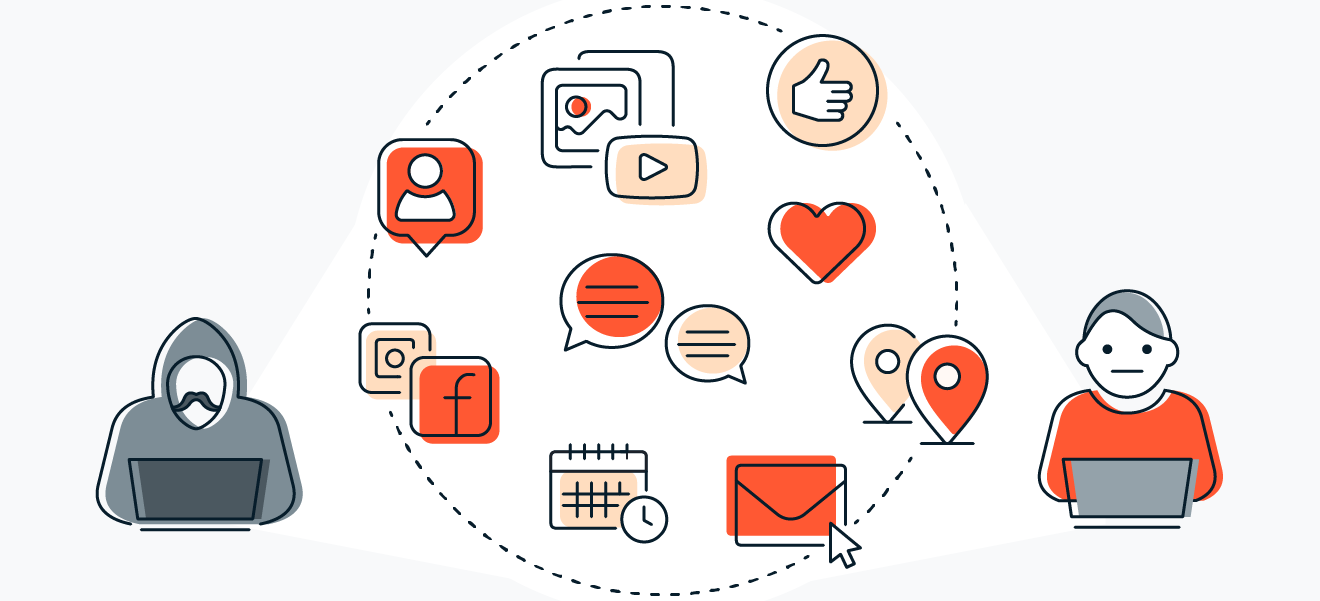
One of the biggest internet safety mistakes is oversharing personal information online. Cybercriminals often collect details from social media profiles to target users.
Avoid sharing sensitive information like your address, phone number, passwords, or financial details publicly.
The less information you share online, the safer you are from identity theft and scams.
Install Reliable Antivirus Software
Antivirus software is an essential tool for internet safety. It protects your device from viruses, malware, spyware, and other harmful programs.
A good antivirus program scans files, blocks unsafe websites, and alerts you about suspicious activity.
Make sure to keep your antivirus updated and run regular scans for better protection.
Download Only from Trusted Sources
Downloading files or applications from unknown websites is very risky. These files may contain hidden malware or viruses.
Always download apps from official stores like Google Play Store, Apple App Store, or trusted websites.
Avoid pirated software, as it often carries security risks and hidden threats.
Be Careful on Social Media
Social media platforms are common targets for scams and phishing attacks. Fake profiles, messages, and posts are often used to trick users.
Do not accept friend requests from unknown people. Avoid clicking on suspicious posts or links.
Adjust your privacy settings to control who can view your posts and personal information.
Back Up Your Data Regularly
Data loss can happen due to cyber attacks, system failures, or accidental deletion. That is why regular backups are important.
You can store backups on cloud services or external hard drives.
Having a backup ensures that you can recover your important files quickly in case something goes wrong.
Recognize Phishing Attempts
Phishing is one of the most common online scams. It usually comes in the form of fake emails or messages that look real.
These messages often create urgency, asking you to click a link or provide personal information.
Always verify the sender before responding. Never enter sensitive information on untrusted websites.
Use Firewalls for Extra Protection
A firewall acts as a security barrier between your device and the internet. It monitors incoming and outgoing traffic and blocks suspicious activity.
Most operating systems already include a built-in firewall. Make sure it is always enabled.
Firewalls provide an extra layer of protection against hackers and malware.
Common Mistakes to Avoid
Many users become victims of cyber threats due to simple mistakes.
Using weak passwords, ignoring updates, clicking unknown links, and oversharing information are some of the most common errors.
Another mistake is trusting every website or message without verification.
Avoiding these mistakes can significantly improve your online safety.
Tips for Safe Internet Use
Always think before clicking any link or downloading files.
Use strong passwords and enable two-factor authentication on all important accounts.
Keep your devices updated and protected with antivirus software.
Avoid public WiFi for sensitive tasks.
Stay informed about new online threats and scams.
These habits create a strong foundation for internet safety.
Conclusion
Following internet safety rules everyone should follow is essential in today’s digital world. Cyber threats are increasing, but with the right habits, you can protect yourself from most risks.
For readers of Secure Guide Tech, these rules provide a complete guide to safe and responsible internet usage. By staying alert, using security tools, and following basic precautions, you can enjoy the internet safely and confidently.