
Introduction
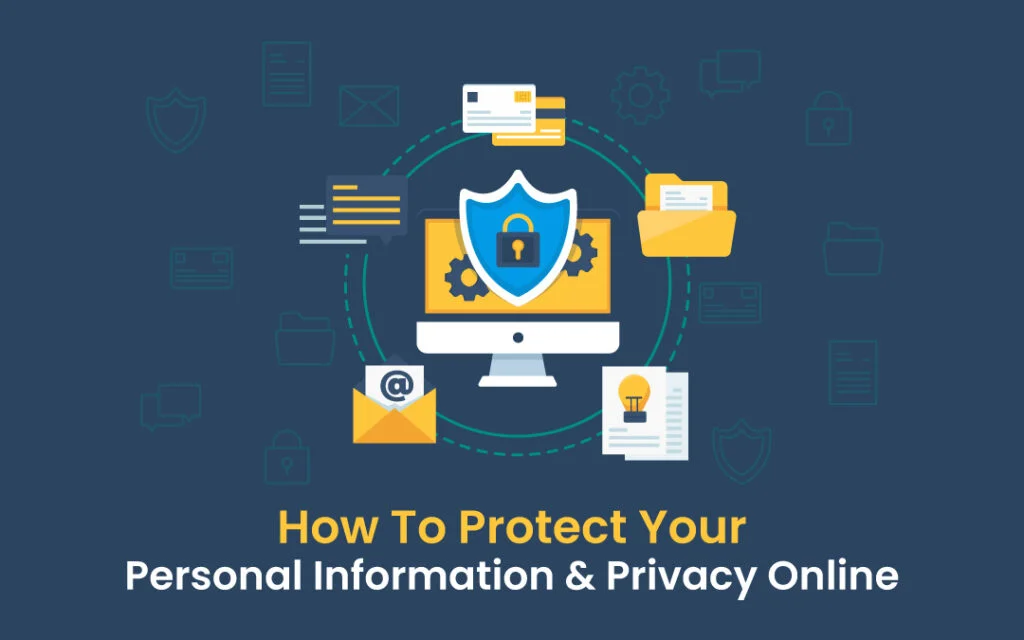
In today’s digital world, personal data is more valuable than ever. Every time you browse a website, use social media, shop online, or log into an app, you share information such as your name, email, location, and even financial details. While the internet makes life easier, it also increases the risk of data theft, hacking, and privacy violations.
That is why learning how to protect your personal data online is extremely important. Cybercriminals are constantly finding new ways to steal sensitive information, and even a small mistake can lead to serious consequences like identity theft or financial loss.
For readers of Secure Guide Tech, this guide explains simple and effective ways to keep your personal data safe while using the internet in 2026.
Why Personal Data Protection Matters
Your personal data includes everything that identifies you online, such as passwords, phone numbers, banking details, and social media accounts. If this information is exposed, hackers can misuse it in many harmful ways.
They may steal your identity, access your financial accounts, or even use your data for scams. In some cases, stolen data is sold on the dark web.
Protecting your personal data is not just about privacy—it is about safety, security, and control over your digital life.
Use Strong and Unique Passwords
One of the most important steps to protect personal data online is using strong passwords. Weak passwords are easy to guess and often lead to account breaches.
A strong password should include uppercase and lowercase letters, numbers, and special characters. Avoid using simple words or personal information like your name or birthdate.
It is also important to use different passwords for different accounts. This way, if one account is compromised, others remain safe.
Enable Two-Factor Authentication
Two-factor authentication adds an extra layer of security to your accounts. Even if someone gets your password, they still need a second verification step to access your account.
This second step could be a code sent to your phone, an authentication app, or biometric verification like fingerprint or face recognition.
Enabling 2FA on important accounts such as email, banking, and social media greatly reduces the risk of unauthorized access.
Be Careful with What You Share Online
Many people unknowingly expose their personal data by oversharing on social media. Information like your location, phone number, or daily routine can be used by cybercriminals.
Avoid sharing sensitive details publicly. Even posts that seem harmless can be used to build a profile about you.
Always think before posting and adjust your privacy settings to control who can see your information.
Avoid Phishing Scams
Phishing is one of the most common methods used to steal personal data. It usually comes in the form of fake emails, messages, or websites that look real.
These scams often ask you to click on a link or enter sensitive information.
Always verify the source before clicking anything. If something looks suspicious, do not interact with it.
Use Secure Websites (HTTPS)
Before entering any personal information online, always check if the website is secure.
A safe website uses HTTPS instead of HTTP and shows a padlock icon in the browser.
HTTPS encrypts the data between your device and the website, making it harder for hackers to intercept.
However, remember that HTTPS alone does not guarantee full safety, so always stay alert.
Keep Your Devices and Software Updated
Software updates often include important security fixes that protect your data from new threats.
Outdated systems are easier targets for hackers. That is why you should always keep your operating system, apps, and browsers updated.
Turning on automatic updates is a simple way to stay protected without extra effort.
Be Careful on Public WiFi
Public WiFi networks are often unsafe because they are not properly secured. Hackers can easily intercept data on these networks.
Avoid logging into sensitive accounts such as banking or email while using public WiFi.
If necessary, use a VPN to encrypt your internet connection and protect your data.
Limit App Permissions
Many apps ask for access to your personal data such as contacts, location, or camera. Not all apps need this information to function.
Always check app permissions and disable unnecessary access.
This helps reduce the amount of personal data being collected and shared.
Use Antivirus and Security Tools
Antivirus software helps protect your devices from malware, spyware, and viruses that can steal your data.
Security tools can also detect suspicious websites and block harmful downloads.
Keeping your antivirus updated adds an extra layer of protection to your digital life.
Back Up Your Data Regularly
Backing up your data ensures that you do not lose important files in case of hacking, system failure, or accidental deletion.
You can use cloud storage or external drives for backups.
Regular backups provide peace of mind and quick recovery in emergencies.
Avoid Unknown Downloads
Downloading files or apps from unknown sources is risky because they may contain malware designed to steal your data.
Always download software from official and trusted platforms.
Avoid pirated apps, as they often carry hidden security threats.
Monitor Your Online Accounts
Regularly checking your accounts helps you detect suspicious activity early.
Look for unknown logins, password changes, or unusual transactions.
If you notice anything suspicious, change your password immediately and enable extra security features.
Common Mistakes to Avoid
Many users accidentally expose their personal data due to simple mistakes.
Using weak passwords, ignoring updates, clicking unknown links, and oversharing on social media are common errors.
Another mistake is trusting every website without verifying its authenticity.
Avoiding these mistakes greatly improves your online safety.
Tips for Better Data Protection
Always use strong and unique passwords.
Enable two-factor authentication on all important accounts.
Keep your devices and apps updated.
Be cautious with emails, links, and downloads.
Limit what you share on social media.
Use secure networks and antivirus protection.
These habits help you build strong digital security.
Conclusion
Learning how to protect your personal data online is essential in today’s connected world. Your personal information is valuable, and protecting it should always be a priority.
For readers of Secure Guide Tech, following these simple steps can help you stay safe from hackers, scams, and data theft.
By building strong security habits and staying alert, you can enjoy the internet safely while keeping your personal data fully protected.