
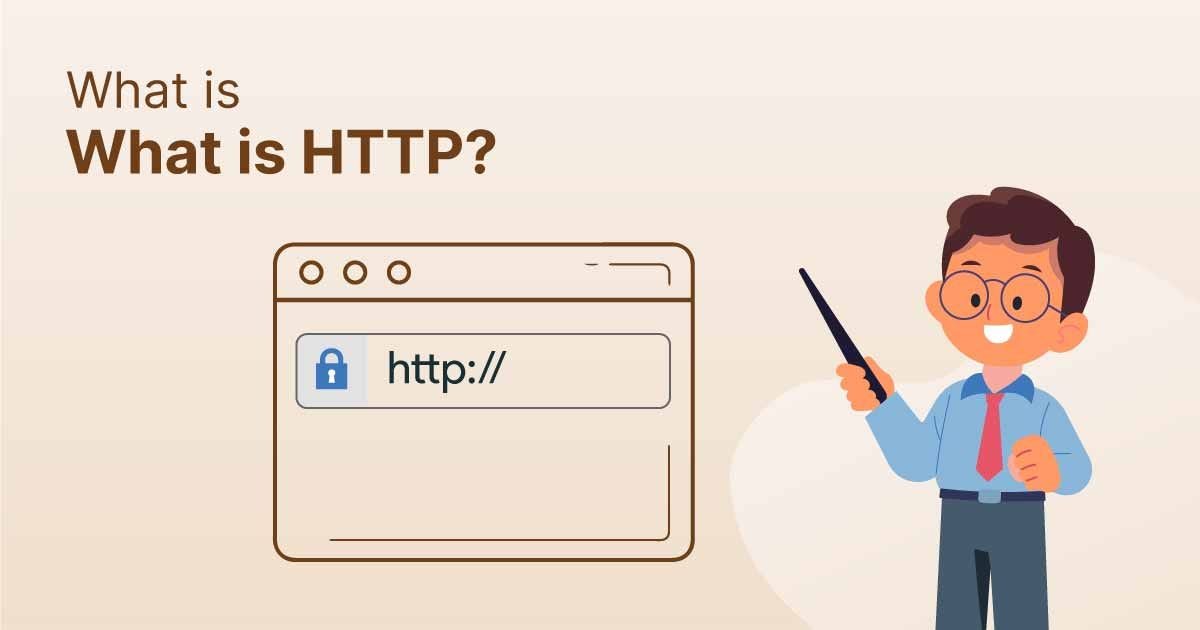
If you run a website like Secure Guide Tech, understanding what is HTTPS and why it matters is one of the most important things you need to know. Today, internet users are more aware of online security than ever before. People expect websites to protect their data, whether they are browsing content, signing up for newsletters, or making payments.
If your website is not secure, browsers may show warnings that scare visitors away. This not only affects your traffic but also damages your credibility. That is why HTTPS has become a basic requirement for every website in 2026. It is not just a technical feature; it is a trust signal, an SEO factor, and a security layer all in one.
What is HTTPS?
HTTPS stands for HyperText Transfer Protocol Secure. It is the secure version of HTTP, which is used to transfer data between a user’s browser and a website server.
The main difference between HTTP and HTTPS is encryption. HTTPS encrypts the data being transferred, making it unreadable to anyone who tries to intercept it. This ensures that sensitive information such as passwords, credit card details, and personal data stays protected.
HTTPS works using SSL or TLS certificates. These certificates verify that the website is legitimate and enable encrypted communication between the server and the user’s browser.
In simple terms, HTTP sends data in plain text, while HTTPS locks that data using encryption. That is why HTTPS is considered safe and HTTP is not.
How HTTPS Works
When a user visits a website that uses HTTPS, a secure connection is created through a process called the SSL handshake. This process happens in a fraction of a second but plays a crucial role in keeping data safe.
First, the browser connects to the website’s server. The server then sends its SSL certificate to the browser. The browser checks whether the certificate is valid and issued by a trusted authority. Once verified, both the browser and the server agree on encryption keys. After that, a secure connection is established, and all data is transferred in encrypted form.
This process ensures that no third party can read or modify the information being exchanged. Even if someone tries to intercept the data, they will only see unreadable encrypted content.
Why HTTPS Matters
One of the biggest reasons HTTPS matters is data protection. Without HTTPS, any information shared on your website can be intercepted by hackers. This includes login credentials, personal details, and payment information. HTTPS encrypts this data, making it extremely difficult for attackers to access it.
Another important reason is trust. When users see the padlock icon in their browser, they feel confident that the website is safe. On the other hand, if a website is marked as “Not Secure,” visitors are more likely to leave immediately. For a platform like Secure Guide Tech, building trust with users is essential for growth.
HTTPS also plays a major role in SEO. Search engines like Google prefer secure websites and use HTTPS as a ranking factor. This means that websites with HTTPS are more likely to rank higher in search results compared to those without it. Higher rankings lead to more visibility and more traffic.
In addition to SEO, HTTPS protects your website from various types of cyber attacks. It prevents attackers from tampering with your content or injecting malicious scripts. This ensures that your website remains safe for users and maintains its integrity.
Modern web technologies also require HTTPS. Features like secure payment gateways, push notifications, and location-based services only work on HTTPS-enabled websites. Without HTTPS, your website may not be able to use these important functionalities.
HTTPS vs HTTP
Understanding the difference between HTTP and HTTPS helps you see why security matters so much. HTTP does not provide any encryption, which means data can be easily accessed or modified by attackers. HTTPS, on the other hand, encrypts all data, ensuring privacy and security.
Websites using HTTP are often labeled as “Not Secure” by browsers, while HTTPS websites display a padlock icon. This simple visual difference can have a huge impact on user behavior and trust.
In terms of SEO, HTTPS websites have a clear advantage. Search engines prioritize secure websites because they provide a better user experience. This makes HTTPS essential for anyone looking to grow their online presence.
Benefits of HTTPS for Secure Guide Tech
For your website Secure Guide Tech, HTTPS offers multiple benefits that go beyond basic security. It helps establish your brand as reliable and professional. Visitors are more likely to trust your content and engage with your site when they know it is secure.
HTTPS also improves user experience. A secure website reduces the chances of warnings or errors that can frustrate users. This leads to lower bounce rates and higher engagement.
Another benefit is better performance in search engines. With HTTPS, your website has a higher chance of ranking well, which means more organic traffic. This is especially important if you are publishing blogs and aiming for AdSense approval.
Finally, HTTPS prepares your website for the future. As technology continues to evolve, security requirements will only become stricter. By using HTTPS now, you ensure that your website stays updated and competitive.
How to Enable HTTPS on Your Website
Enabling HTTPS on your website is easier than it might seem. The first step is to get an SSL certificate. Many hosting providers offer free SSL certificates, and there are also services like Let’s Encrypt that provide them at no cost.
Once you have the certificate, you need to install it on your server. Most hosting platforms provide simple tools or one-click options to do this. After installation, you should configure your website to redirect all HTTP traffic to HTTPS. This ensures that users always access the secure version of your site.
It is also important to update all internal links to use HTTPS instead of HTTP. This helps avoid mixed content issues, which can affect security and performance.
Regularly checking your SSL certificate and renewing it on time is also necessary to maintain security.

Common Mistakes to Avoid
While implementing HTTPS, many website owners make small mistakes that can cause issues. One common mistake is not renewing the SSL certificate. If the certificate expires, your website may show security warnings.
Another mistake is mixing HTTP and HTTPS content. This happens when some resources on your website are still loaded over HTTP. It can reduce security and trigger browser warnings.
Failing to set proper redirects is also a common problem. Without redirects, users may access the insecure version of your site. This defeats the purpose of using HTTPS.
Ignoring browser warnings is another issue. If your website shows any security warnings, they should be fixed immediately to maintain trust and credibility.
Conclusion
Understanding what is HTTPS and why it matters is essential for anyone running a website today. HTTPS is not just about protecting data; it is about building trust, improving SEO, and ensuring a safe browsing experience for users.
For your website Secure Guide Tech, implementing HTTPS is a smart and necessary step. It helps you stay competitive, attract more visitors, and create a secure environment for your audience.