
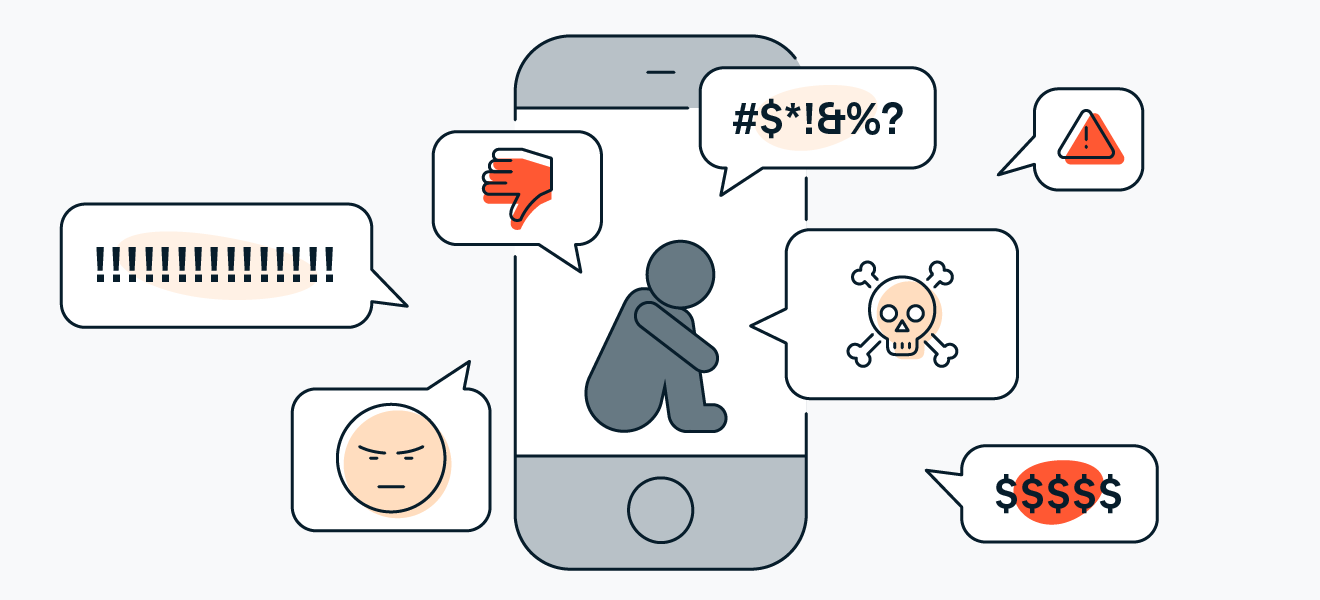
Let me be honest with you. You open your browser, type a few words, and click a link. You do this dozens of times every single day. But have you ever stopped to think about what is watching you from the other side? Hackers, data collectors, fake websites, and malicious ads are everywhere online. The scariest part? Most people do not even realize when something is wrong. They keep clicking, keep sharing, and keep trusting everything they see.
At Secure Guide Tech, we believe that online safety should be easy for everyone. No confusing settings. No expensive software. Just real advice that works in real life. So grab your laptop or phone, and let me walk you through everything you need to know. By the end of this post, you will browse with confidence and peace of mind.
How to Stay Safe While Browsing the Internet by Checking Website Links First
Here is the number one mistake I see people make every single day. They click links without looking. An email says “Your package is delayed.” A friend sends a message saying “Look at this funny video.” A Facebook ad promises a free gift card. You click without thinking. This is exactly how hackers trick you.
Before you click any link, hover your mouse over it. On a computer, the real web address will appear somewhere on your screen, usually at the bottom left corner. On a phone, press and hold the link. A pop up will show you where the link actually leads. Does it match what the text says? If the text says “www.amazon.com” but the link shows “www.amaz0n-security.ru“, run away. That is a fake website designed to steal your password.
This simple habit is the first step in how to stay safe while browsing the internet. It takes less than one second. Secure Guide Tech recommends making this automatic. Hover first. Click second. Every single time.Always Look for the Padlock Icon in Your Browser
Let me show you something important. Look up at the top of your browser window where the web address is. Do you see a small padlock icon? That padlock means the website you are visiting has a security certificate. Any information you send to that site, like passwords, credit card numbers, or personal details, is encrypted. Encrypted means scrambled. Hackers cannot read it even if they intercept it.
If you do not see a padlock, or worse, if you see a warning triangle or the words “Not Secure”, never enter any personal information on that site. Not your name, not your email, definitely not your credit card. Legitimate shopping sites, banks, and social media platforms all use this encryption. Fake or poorly built sites often skip it.
How to Stay Safe While Browsing the Internet on Public Wi-Fi
Public Wi-Fi is everywhere now. Coffee shops, airports, hotels, libraries, even buses. It feels great to save your mobile data. But here is the truth that nobody tells you. Public Wi-Fi is extremely dangerous. Anyone on the same network can potentially see what you are doing. A hacker sitting two tables away can capture your passwords, your emails, and even your photos if you are not careful.
So how do you stay safe while using public Wi-Fi? First, never do anything sensitive on it. No online banking, no shopping, no logging into work accounts. Save those tasks for your home network or mobile data. Second, always use a VPN. A VPN creates a private tunnel for your internet traffic. Even if a hacker is on the same network, all they will see is random garbage.
At Secure Guide Tech, we recommend using a trusted VPN service whenever you leave your home. Many good ones cost less than a cup of coffee per month. That small cost is nothing compared to the pain of having your bank account drained.
Avoid Downloading Files From Untrusted Sources
Let me tell you a story. A friend of mine wanted a free PDF editor. He searched online, found a website offering the software for free, and downloaded it. The next day, his computer was full of pop up ads. His browser homepage had changed. His email had sent spam messages to all his contacts without him knowing. That free software was actually malware in disguise.
This happens every single day to thousands of people. Hackers know that we love free stuff. So they create fake versions of popular software, games, movies, and music. You download their file, and you get a virus instead.
If you follow this one rule, you have already mastered a huge part of how to stay safe while browsing the internet. Secure Guide Tech suggests sticking to well known sites like the official app stores, Microsoft, Adobe, and other major companies.
Use Strong Passwords and a Password Manager
I know you have heard this before. Use strong passwords. Do not reuse passwords. Change them regularly. But let me be real with you. Remembering twenty different complicated passwords is impossible. That is why most people use the same simple password everywhere. “Password123” or their dog’s name and their birth year. Hackers know this. They have lists of the most common passwords.
The solution is not to try harder to remember. The solution is a password manager. A password manager is a secure app that creates and stores strong, unique passwords for every website. You only need to remember one master password. The password manager does the rest.
This is a game changer for how to stay safe while browsing the internet. Even if one website gets hacked, your other accounts stay safe because each password is different. Secure Guide Tech recommends using a well known password manager like Bitwarden, 1Password, or even the one built into your browser. Set it up once, and you never have to worry about remembering passwords again.
Turn On Two Factor Authentication Everywhere
Passwords alone are not enough anymore. Hackers can steal them through data breaches, phishing, or simply guessing. That is why you need a second layer of defense. Two factor authentication, or 2FA for short.
Turn on 2FA for your email, your bank, your social media, and any other important accounts. Most websites offer this option in their security settings. Secure Guide Tech considers this one of the most important steps in how to stay safe while browsing the internet. Do not skip it.
Keep Your Browser and Extensions Updated
The same goes for browser extensions. Those little add ons that block ads, check grammar, or help you take screenshots. Some extensions are safe, but others can see everything you type on every website. Over time, even good extensions can get bought by bad companies and turned into spyware.
Only install extensions you truly need. Remove the ones you never use. And keep everything updated. Set your browser to update automatically if possible. Secure Guide Tech recommends doing a quick review of your extensions once a month. It takes two minutes and removes potential backdoors into your online life.
How to Stay Safe While Browsing the Internet on Your Phone
Most of us do more browsing on our phones than on computers. But phone browsers have the same risks. Fake websites, malicious ads, and data tracking are all there. In some ways, phones are worse because the screen is smaller, making it harder to see fake web addresses.
Another simple step in how to stay safe while browsing the internet on your phone is to clear your browsing data regularly. Go to your browser settings, tap Privacy, and clear your cache and cookies. This removes tracking files that follow you around the web. Secure Guide Tech suggests doing this once a week.
H2: Trust Your Gut Feeling
Let me end with something simple. If something feels wrong online, it probably is. A website asking for too much personal information. An email that creates panic or excitement. A pop up that says you have won a prize you never entered. A message from a stranger with a link. Your brain notices small inconsistencies before your conscious mind does.
This instinct is the final piece of how to stay safe while browsing the internet. Combine it with the technical tips above, and you become a very hard target for hackers. They will move on to someone easier.
Final Thoughts From Secure Guide Tech
The internet is not a scary place if you know how to use it safely. Most dangers come from small, avoidable mistakes. Clicking without looking. Ignoring the padlock. Using public Wi-Fi without protection. Downloading random files. Reusing passwords. Skipping updates. Ignoring your gut.
Every single one of these mistakes is fixable. You do not need to be perfect. You just need to build a few simple habits. Check the link before you click. Look for the padlock. Use a VPN on public Wi-Fi. Download only from official sites. Use a password manager and 2FA. Keep everything updated. Trust your gut.