
Introduction
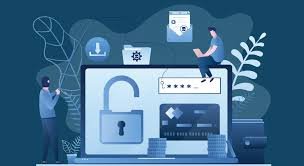
Learning how to protect yourself from identity theft is becoming more important than ever in today’s digital world. Every day, millions of people use online banking, social media platforms, shopping websites, and digital payment apps. While the internet makes life easier, it also creates opportunities for cybercriminals to steal personal information.
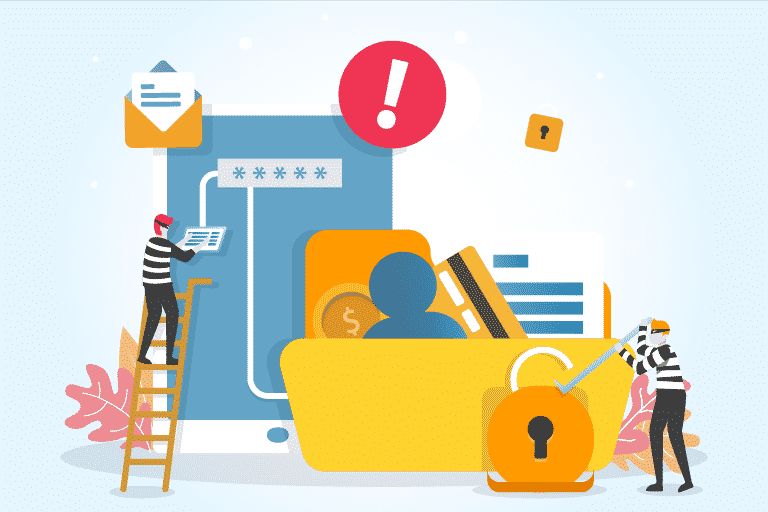
Identity theft happens when someone illegally uses your personal details for fraud or criminal activities. This may include stealing your name, passwords, bank details, credit card information, or official identification documents. Once scammers gain access to this information, they may misuse it to access accounts, make purchases, or commit financial fraud.
Many people believe identity theft only affects businesses or wealthy individuals, but the truth is that anyone can become a target. Cybercriminals often focus on ordinary users who may not pay attention to online security.
The good news is that simple digital safety habits can greatly reduce your risk. Understanding how to protect yourself from identity theft can help keep your accounts, finances, and personal information secure.
At Secure Guide Tech, we believe online safety should be simple, practical, and easy for everyone to understand.
What is Identity Theft
Identity theft occurs when someone steals your personal information and uses it without your permission.
Cybercriminals may use stolen information to:
- Access bank accounts
- Open fake accounts
- Make online purchases
- Steal social media accounts
- Commit financial fraud
- Impersonate victims online
Identity theft can happen online or offline, but digital scams have become one of the most common methods used by criminals today.
Protecting personal information is one of the most important parts of internet safety.
Why Identity Theft is Dangerous
Identity theft can create serious financial and emotional problems for victims.
If scammers gain access to your personal information, they may empty bank accounts, misuse your online accounts, or damage your financial reputation. Recovering stolen accounts or financial losses can sometimes take weeks or even months.
In some situations, victims may not realize their identity has been stolen until suspicious transactions or account activity appears.
This is why learning how to protect yourself from identity theft is extremely important for online security.
Use Strong and Unique Passwords
One of the easiest ways to improve online safety is by using strong passwords.
Many people still use weak passwords like birthdays, names, or simple number combinations. These passwords are easier for cybercriminals to guess.
A strong password should include:
- Uppercase letters
- Lowercase letters
- Numbers
- Special characters
Using different passwords for different accounts is also important. If one account becomes compromised, unique passwords help protect your other accounts.
Strong passwords are one of the first defenses against identity theft.
Enable Two-Factor Authentication
Two-factor authentication adds extra protection to your accounts.
When enabled, users must complete a second verification step after entering their password. This usually involves a code sent to a phone or authentication app.
Even if cybercriminals steal your password, two-factor authentication makes it much harder for them to access your account.
Most major websites, email providers, and social media platforms now support this security feature.
Be Careful with Phishing Emails and Messages
Phishing scams are one of the most common causes of identity theft.
Scammers send fake emails, text messages, or social media messages pretending to be trusted companies or services. Their goal is to trick users into sharing passwords, banking information, or personal details.
Always check:
- The sender’s email address
- Suspicious links
- Spelling mistakes
- Urgent requests for information
Never click suspicious links or download unknown attachments.
Staying cautious online can prevent many phishing attacks.
Avoid Sharing Too Much Personal Information Online
Many people unknowingly share sensitive information publicly on social media.
Details like birthdays, phone numbers, addresses, workplace information, or travel plans may help scammers gather information for identity theft or account recovery attacks.
It is important to review your privacy settings and avoid posting unnecessary personal details publicly.
The less information cybercriminals can access, the safer your accounts become.
Use Secure Websites
Before entering passwords or payment information online, always check whether the website is secure.
Secure websites usually begin with “https” instead of “http.” The padlock icon in the browser address bar also helps indicate secure connections.
Fake websites are often designed to steal login information or financial details.
Always double-check website addresses carefully before entering sensitive information.
Keep Your Devices Updated
Software updates often contain important security improvements that protect against new cyber threats.
Using outdated devices, browsers, or apps may increase the risk of malware infections or hacking attempts.
Regularly updating:
- Operating systems
- Browsers
- Mobile apps
- Antivirus software
can help improve your online security.
Simple update habits provide stronger protection against identity theft.
Avoid Public Wi-Fi for Sensitive Activities
Public Wi-Fi networks in cafes, airports, hotels, or shopping centers are often less secure than private networks.
Cybercriminals sometimes use unsecured networks to monitor online activity and steal personal information.
Avoid logging into banking apps or entering sensitive passwords while connected to public Wi-Fi.
If necessary, use a trusted VPN service for extra security.
Monitor Your Financial Accounts Regularly
Checking your bank accounts and online transactions regularly can help detect suspicious activity early.
Many victims discover identity theft only after major financial damage has already occurred.
Review your:
- Bank statements
- Credit card transactions
- Online payment accounts
for unusual activity.
Quick detection can help reduce financial losses and improve recovery chances.
Be Careful What You Download
Downloading files from unknown websites or suspicious emails may install malware or spyware on your device.
Some malicious software is specifically designed to steal passwords, banking information, or personal files.
Only download apps and software from trusted sources like official app stores or company websites.
Avoid pirated software or suspicious downloads because they often contain security risks.
Protect Your Email Account
Your email account is connected to many other accounts like banking apps, social media, shopping platforms, and work services.
If hackers gain access to your email, they may reset passwords for multiple accounts.
Using strong passwords and two-factor authentication for email accounts is extremely important for online security.
Your email should always receive strong protection.
Shred Sensitive Documents
Identity theft does not only happen online.
Physical documents containing personal information can also become targets for criminals. Bank statements, bills, or documents containing personal details should be destroyed properly before disposal.
Simple habits like shredding important papers can reduce offline identity theft risks.
Teach Family Members About Online Safety
Children, teenagers, and older adults are often common targets for online scams because they may not recognize security risks easily.
Teaching family members about suspicious links, fake emails, and password safety can improve digital security for everyone at home.
Internet safety awareness is important for all age groups.
Use Antivirus and Security Software
Reliable antivirus software can help detect harmful files, suspicious websites, and malware before they damage your device.
While antivirus software alone cannot stop every cyber threat, it adds another important layer of protection against identity theft.
Regular security scans can help keep your devices safer.
Trust Your Instincts Online
If a message, website, or request feels suspicious, it is better to stay cautious.
Cybercriminals often rely on urgency, fear, or excitement to pressure users into making quick decisions.
Taking a few extra moments to verify information can prevent serious security problems.
Smart online habits are one of the best protections against identity theft.
What to Do if Your Identity is Stolen
If you believe your identity has been stolen, act quickly.
Change important passwords immediately and contact your bank or financial institutions if necessary. Monitor your accounts for suspicious activity and report fraud to the appropriate authorities.
Quick action may help reduce financial damage and improve account recovery.
Staying calm and responding quickly is important during security incidents.
Final Thoughts
Understanding how to protect yourself from identity theft is essential for staying safe in today’s digital world. Cybercriminals constantly look for opportunities to steal personal information, but simple online safety habits can greatly reduce your risk.
Using strong passwords, enabling two-factor authentication, avoiding suspicious links, updating devices, and protecting personal information are some of the most effective ways to improve online security.
At Secure Guide Tech, we believe internet safety should be simple and practical for everyone. Building smart digital habits today can help protect your identity, finances, and online accounts in the future.