
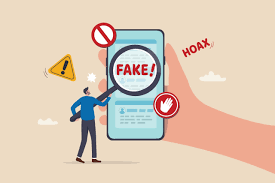
In today’s digital world, the number of fake websites is increasing rapidly. These websites are designed to trick users into sharing personal information, making payments, or downloading harmful files. That is why understanding how to identify fake websites is extremely important for anyone using the internet.
For readers of Secure Guide Tech, this guide will help you recognize warning signs of fake websites and stay protected from online scams. With a little awareness and the right knowledge, you can avoid falling into these traps and keep your data safe.
What Are Fake Websites?
Fake websites are fraudulent sites created to look like legitimate ones. They often copy the design, logo, and content of trusted brands to appear real.
Their main goal is to steal sensitive information such as login credentials, credit card details, or personal data. Some fake websites also spread malware or redirect users to harmful pages.
These sites can look very convincing, which makes them dangerous, especially for users who are not aware of the signs.
Why Fake Websites Are Dangerous
Fake websites can cause serious harm. They can lead to financial loss, identity theft, and data breaches.
If you enter your login details on a fake site, hackers can gain access to your accounts. This can result in unauthorized transactions or misuse of your personal information.
In some cases, fake websites can install malware on your device, which can damage your system or steal your data.
Check the Website URL Carefully
One of the easiest ways to identify a fake website is by checking the URL. Fake websites often use URLs that look similar to real ones but include small changes.
For example, they may replace letters with numbers or add extra words. Always read the URL carefully before entering any information.
Secure websites usually start with HTTPS and show a padlock icon in the browser. While this does not guarantee authenticity, it is still an important factor.
Look for HTTPS and Security Indicators
A legitimate website uses HTTPS, which means the connection is secure. You can check this by looking for the padlock icon in the address bar.
If a website only uses HTTP or shows a “Not Secure” warning, it is better to avoid it.
However, keep in mind that some fake websites also use HTTPS, so you should not rely on this factor alone.
Check Website Design and Quality
Fake websites often have poor design, spelling mistakes, and low-quality images. Legitimate websites usually maintain a professional appearance.
Look for inconsistencies in fonts, colors, and layout. If something feels off, it is worth investigating further.
Also, check for broken links or pages that do not work properly. These are common signs of fake websites.
Verify Contact Information
Legitimate websites provide clear contact information, including email addresses, phone numbers, and physical addresses.
Fake websites often have limited or fake contact details. If you cannot find reliable contact information, it is a red flag.
Try contacting the company to verify its authenticity if you are unsure.
Check Reviews and Reputation
Before trusting a website, search for reviews online. Genuine websites usually have customer feedback and ratings.
If you find multiple complaints or warnings about a site, it is best to avoid it.
You can also check forums and social media to see what other users are saying.
Be Careful with Pop-Ups and Offers
Fake websites often use attractive offers and pop-ups to grab your attention. Deals that seem too good to be true usually are.
Be cautious of websites offering huge discounts or asking for urgent action. These tactics are used to pressure users into making quick decisions.
Always take your time and verify the authenticity of the website.
Avoid Sharing Sensitive Information
Never share personal or financial information on a website unless you are sure it is legitimate.
Fake websites often ask for unnecessary details, such as passwords or bank information.
Always double-check the website before entering any sensitive data.
Check Domain Age
Newly created websites are more likely to be fake. You can use online tools to check how old a domain is.
If a website was created recently and claims to be a well-known brand, it is likely fake.
Older domains are generally more trustworthy, but this is not a guarantee.
Look for Trust Seals Carefully
Some websites display trust badges or security seals to appear legitimate. However, fake websites can also copy these images.
Click on the seal to verify if it is real. If it does not link to a valid source, it may be fake.
Do not rely only on trust badges when evaluating a website.
Use Security Tools
Using antivirus software and browser security tools can help detect fake websites. These tools warn you about suspicious sites and block harmful content.
Keeping your software updated ensures you have the latest protection against online threats.
Common Mistakes to Avoid
Many users make mistakes that increase their risk of falling for fake websites. One common mistake is ignoring small warning signs.
Another mistake is clicking on unknown links from emails or messages. These links often lead to fake websites.
Using the same password on multiple sites is also risky. If one account is compromised, others can be affected.
Avoid rushing when browsing or making online purchases.
Tips to Stay Safe Online
Always double-check URLs before visiting a website.
Use strong and unique passwords for different accounts.
Enable two-factor authentication for added security.
Avoid using public WiFi for sensitive activities.
Keep your devices and apps updated.
Stay informed about common online scams.
Conclusion
Understanding how to identify fake websites is essential for staying safe online. With the increasing number of cyber threats, being aware of warning signs can protect you from scams and data theft.
For readers of Secure Guide Tech, applying these simple tips can make a big difference in your online safety. Always stay alert, verify information, and avoid taking risks when browsing unknown websites.
By building good habits and staying informed, you can enjoy a secure and worry-free online experience.