
Let me be real with you. You are trying to open an app, and nothing happens. You tap the screen again. Still nothing. Then after five seconds, everything jumps at once. Your Android phone feels like it is moving through mud. Sound familiar? I have been there too. It is frustrating, especially when you need to do something quickly. The good news is that you do not need to buy a new phone or take it to a repair shop. You just need to learn how to speed up your Android phone in 5 minutes using simple tricks that anyone can do.
Most people think a slow phone means it is old or broken. That is not always true. Usually, your phone is just clogged with useless files, too many open apps, and settings that are working against you. The best part? You can fix almost all of these problems yourself in less time than it takes to brew a cup of coffee.
How to Speed Up Your Android Phone in 5 Minutes by Clearing Junk Files
Let me explain the first and biggest reason your Android phone feels slow. Junk files. Every time you use your phone, it creates temporary files. App updates leave behind old installation files. Browsing the internet fills up your cache. Deleted photos sometimes leave tiny pieces behind. Over time, these junk files pile up like old newspapers in a garage. Your phone has to work harder to find the things it actually needs.
Here is how to speed up your Android phone in 5 minutes by cleaning this mess. Open your Settings app. Look for Storage or Device Care (the name changes depending on your phone brand). Tap on it. You will see a button that says Clean Now, Free Up Space, or Optimize. Tap that button. Your phone will automatically scan and remove temporary files, old cache data, and other garbage.
I do this on my own phone every two weeks. It takes less than thirty seconds. The first time you do it, you might clear several gigabytes of useless files. That is like giving your phone a deep breath of fresh air. Secure Guide Tech recommends doing this at least once a month, but if you use your phone heavily, do it every week. You will notice the difference immediately.
Stop Running Apps That Are Slowing Down Your Android Phone
Here is a mistake I see people make all the time. They open an app, use it, and then just press the home button. They never actually close the app. That app stays running in the background, eating up your phone’s memory and battery. Now imagine you do this with twenty apps. Your phone is trying to keep all of them ready at the same time. No wonder it feels slow.
Another quick way how to speed up your Android phone in 5 minutes is to close those background apps. On most Android phones, swipe up from the bottom of the screen and hold for a second. You will see cards showing all your open apps. Swipe each card away to close it. Some phones have a Clear All button at the bottom. Tap that to close everything at once.
Now here is a secret. You do not need to close every app all the time. Android is smart enough to manage basic stuff. But if your phone feels slow, closing those twenty or thirty open apps will give you instant relief. Secure Guide Tech suggests making this a daily habit before you go to bed. Wake up to a fresh, fast phone every morning.
How to Speed Up Your Android Phone in 5 Minutes by Turning Off Animations
This next trick sounds a little technical, but trust me, it is very easy. Android uses animations to make things look pretty. When you open an app, it zooms in. When you close it, it zooms out. When you move between screens, it slides. These animations take time. Not much time individually, but they add up. And on an older or slower phone, they make everything feel sluggish.

You can turn off these animations completely. This is a powerful way how to speed up your Android phone in 5 minutes. First, you need to enable Developer Options. Go to Settings, then About Phone. Find Build Number and tap it seven times fast. You will see a message saying “You are now a developer.” Do not worry, you are not changing anything dangerous.
Now go back to Settings and look for Developer Options. Scroll down until you see Window Animation Scale, Transition Animation Scale, and Animator Duration Scale. Tap each one and change it from 1x to .5x or Off. I personally set mine to .5x. Your phone will feel snappier instantly because it is not wasting time on fancy animations. Secure Guide Tech has shared this trick with hundreds of readers, and everyone says the same thing. Why does this not come turned off by default?
Uninstall Apps That Are Slowing Down Your Android Phone
Here is another simple step in how to speed up your Android phone in 5 minutes. Go through your app drawer and uninstall everything you have not used in the past month. Be honest with yourself. If you have not opened an app in thirty days, you probably do not need it. To uninstall, just press and hold the app icon and drag it to Uninstall.
Pay special attention to apps that came preinstalled on your phone. Some of them you cannot remove, but you can disable them. Disabling stops them from running and hiding them from your app list. This frees up memory and stops background processes. Secure Guide Tech recommends doing this app audit every three months. Your phone will thank you.
How to Speed Up Your Android Phone in 5 Minutes by Updating Your Apps
This one sounds too simple, but it works. App developers are constantly fixing bugs and improving performance. If you never update your apps, you are running old, slow versions that may have memory leaks or other problems. Your phone works harder to run poorly written old code.
While you are there, turn on automatic updates. Go to Settings inside the Play Store and select Auto-update apps over Wi-Fi. This way, you never have to think about it again. Your apps will update themselves when you are sleeping. Secure Guide Tech always tells readers to keep automatic updates turned on. It is one of those set it and forget it things that saves you so much trouble later.
Check for System Updates on Your Android Phone
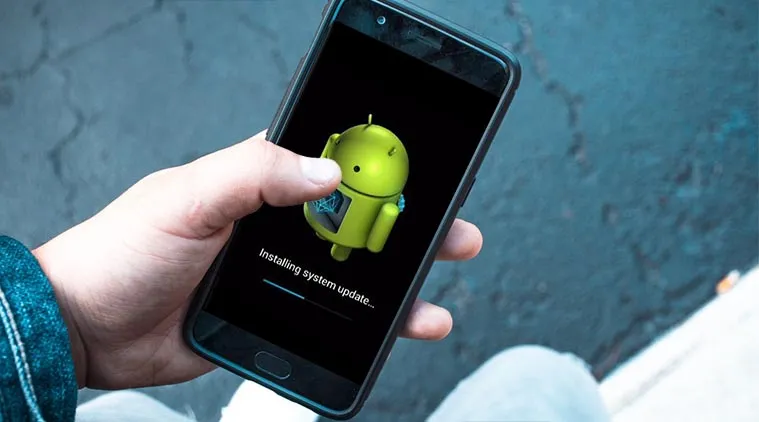
Your phone’s operating system itself needs updates too. These updates are not just for new features. They often include performance improvements and bug fixes that directly affect speed. If you are running an old version of Android, your phone might be missing important optimizations.
Go to Settings, then System, then System Update. Tap Check for Update. If there is an update available, install it. Make sure your phone is charged above fifty percent or plug it in first. The update might take ten to fifteen minutes, but the speed improvement is worth it.
Restart Your Android Phone Regularly to Keep It Fast
Here is the simplest tip of all. Turn your phone off and on again. I know it sounds like a joke, but it works. Your phone is a small computer. Computers need to restart sometimes to clear memory, stop runaway processes, and refresh the system. Many people never restart their phones. They leave them running for weeks or months.
Restarting your phone once a week is a great way how to speed up your Android phone in 5 minutes. In fact, it takes less than two minutes. Just press and hold the power button and tap Restart. Let the phone do its thing. When it comes back on, everything feels fresh and responsive.
Final Thoughts From Secure Guide Tech
Here is the truth. You do not need a new phone. You do not need to pay someone to fix your phone. You just need to spend five minutes learning how to take care of the phone you already have. Slowness is almost never permanent. It is almost always just junk files, background apps, outdated software, or animations that you can turn off.